

Monitor call performance and review call history
Track call volume, answer rates, appointments booked, and sentiment. Review full call history with searchable transcripts and recordings.
Centerfy’s Reports section has two tabs for call data: Analytics for performance metrics and Call History for call logs.
Analytics
Click Reports in the sidebar to open the analytics page.
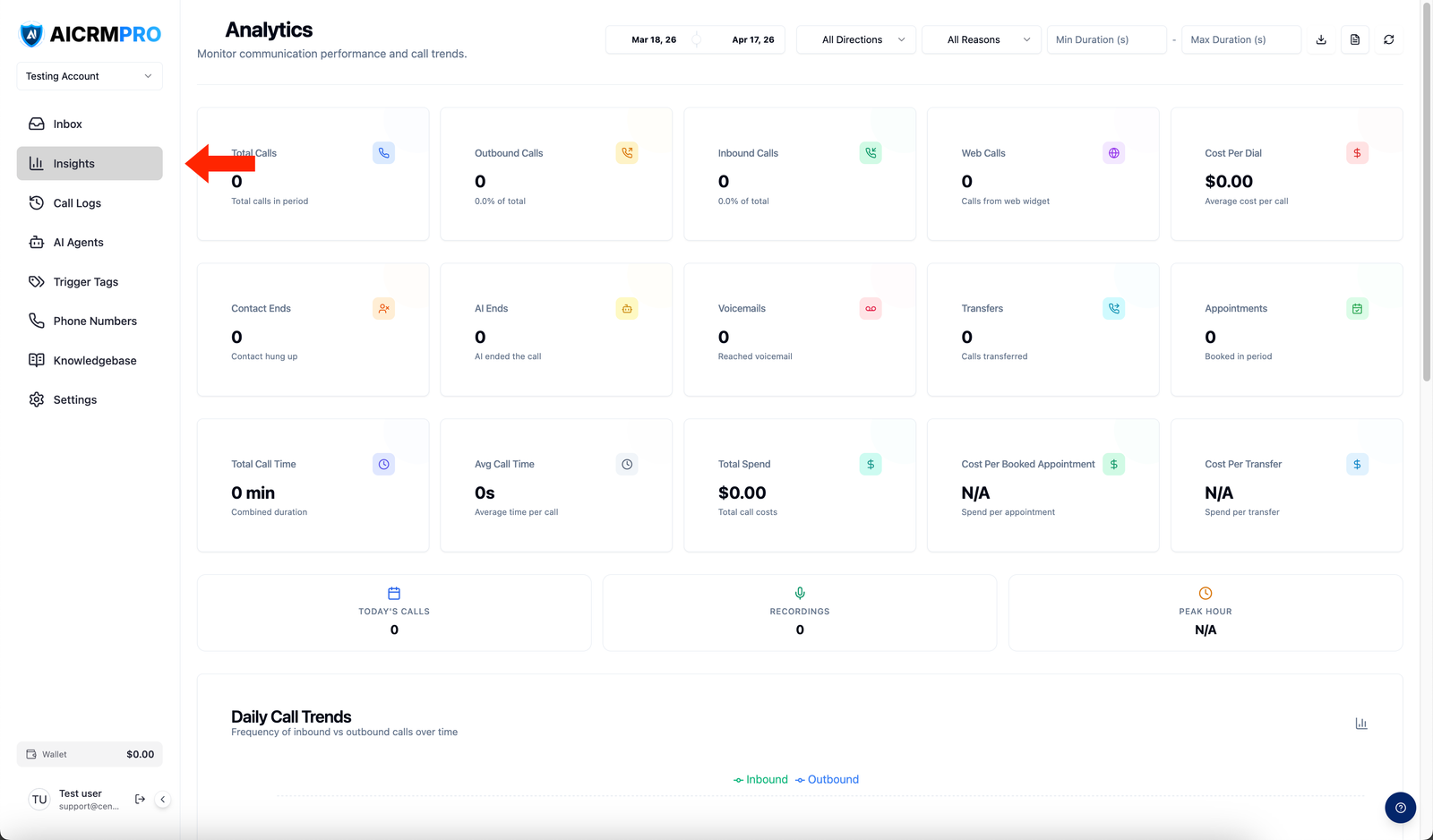
All calls broken down by direction: inbound, outbound, and web calls.
Percentage of outbound calls answered by a live person.
Appointments scheduled as a result of AI agent calls.
Average cost of each outbound call attempt.
Total call spend divided by appointments booked.
How calls concluded: ended by the AI or by the contact.
Call History
Click Call History to open the page where you can view call logs. (Call History is a tab on the Reports page.)
| Filter | Options |
|---|---|
| Date range | Custom, today, yesterday, last 7 days, this month |
| Direction | Inbound, outbound |
| Duration | Any range |
| Sentiment | Positive, neutral, negative |
| Agent | Any specific AI agent |
| End reason | Agent hangup, contact hangup, voicemail, no answer, transferred |
Call detail view
Click any call to open the detail view:
- Full transcript — every word, formatted and searchable
- Recording — play back or download the audio
- AI summary — short paragraph covering what happened and the outcome
- Outcome — appointment booked, transferred, not interested, or voicemail
Sentiment analysis
Every call is classified as positive, neutral, or negative based on tone and content. Use sentiment to identify calls that went poorly, replicate what worked, and spot patterns.
Exporting
Click Export at the top right of Call History to download a CSV of all calls matching your current filters.